A silent auction you won’t spend a week reconciling
Mobile bidding, outbid alerts, and instant checkout on a branded auction site — with every bid, purchase, and gift landing on the same donor record that runs the rest of your fundraising.
Runs alongside your gala, or on its own
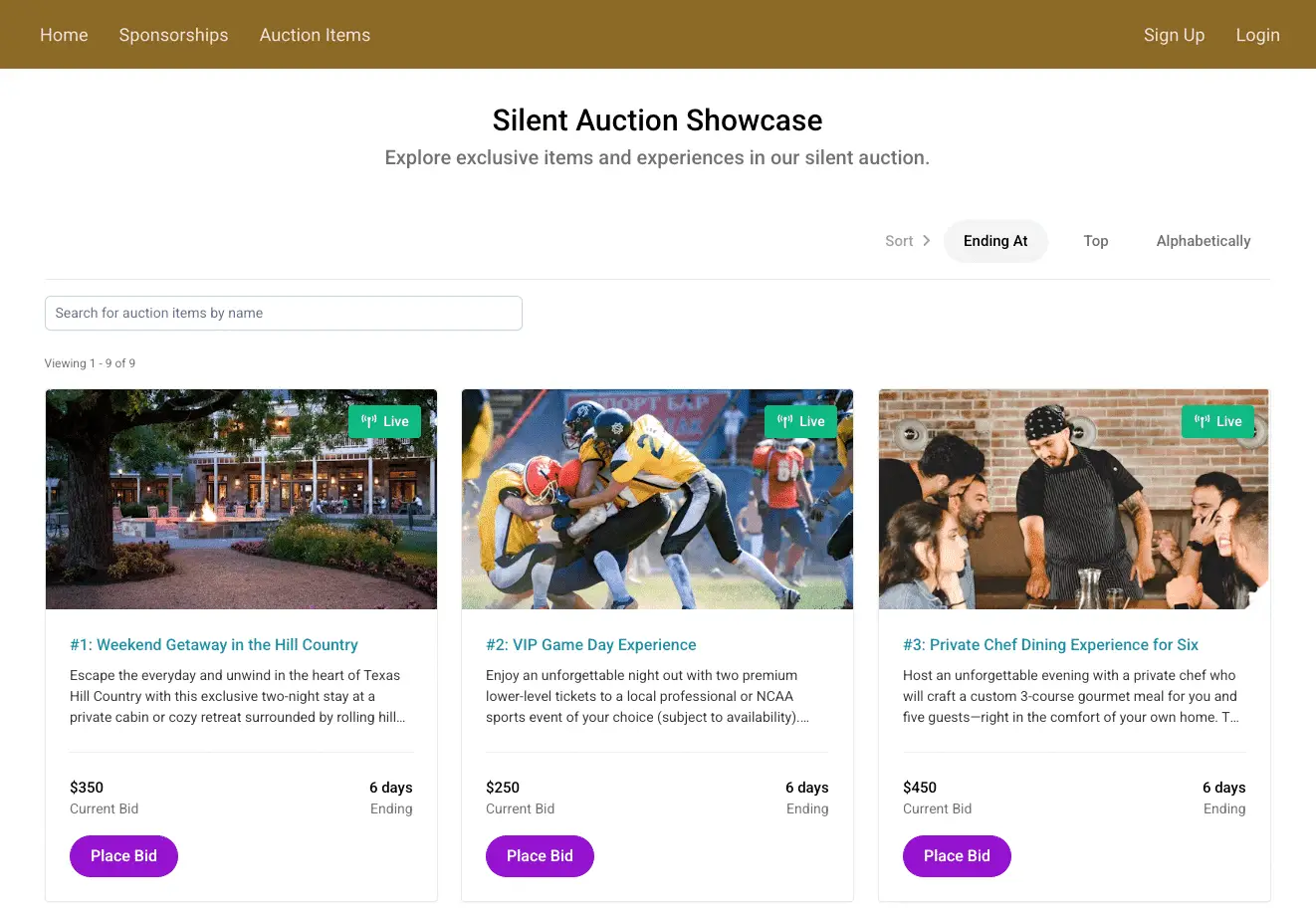
Built for how a silent auction actually runs
Build the auction site
Supporters browse your catalog well before the event, so it should be easy to look through.
A branded auction site with your homepage, sponsor recognition, donation forms, and a full item gallery. List each item with rich descriptions, photos, and item numbers. Not everything needs a bidding war — list fixed-price items at a set price for raffle tickets, merchandise, or sign-up parties.
Make items easy to find
A large catalog only helps if supporters can find the items they actually want.
Search, categories, sorting, and filters so supporters browse to what they actually care about instead of scrolling past it.
Open bidding on every phone
Paper bid sheets limit bidding to whoever happens to be standing at the table.
Guests bid from their phones — in the room or from anywhere — and get outbid alerts by email, with a link straight back to the item. Set a minimum bid per item, and let guests set a maximum bid so the system keeps bidding for them while they’re talking to someone at their table.
Keep the room competitive
A little visible momentum keeps supporters coming back to bid again.
A live fundraising thermometer, a running donation count, a countdown to close, and a recent-donor feed. Push updates during the event to spotlight a hot item or rescue an underbid one.
Close, collect, and fulfill
Collecting payment after the event shouldn’t stretch into the following week.
Winners are notified automatically and pay on the spot. Every bid, purchase, and gift sits under one bidder profile, so reconciling and fulfillment is a report — not a spreadsheet you rebuild from three exports.
Silent auction features
Auction site & items
Bidding & engagement
Checkout & fulfillment
Connected to the rest of your fundraising
Planning an auction? Let’s walk through it.
Common questions
Can guests set a maximum bid?
Yes. A guest can set the highest amount they’re willing to pay and the system bids on their behalf up to that ceiling — so they stay in the running without watching their phone all night.
Can we sell items at a fixed price instead of by bid?
Yes. Fixed-price items sit alongside your bid items, which works well for raffle tickets, merchandise, and sign-up parties.
Do guests need to download an app?
No. Bidding happens on the phone they already have, in the browser — nothing to install, and nothing for your volunteers to troubleshoot at the door.
Can people bid if they aren’t at the event?
Yes. Bidding works in the room or from anywhere, so supporters who can’t attend can still take part.
How do winners pay?
Winners are notified automatically and can pay through the platform right away. If you’d rather give them the option, you can enable pay-later so a winner can settle up afterward. Either way, everything they bid on, bought, or gave sits under one bidder profile.
Can we run a silent auction alongside our gala?
Yes. The auction runs on the same event as your ticketing, so a guest’s ticket, bids, and gifts land on one record instead of three.
Can we run it entirely online, without an event?
Yes. A silent auction can run on its own over days or weeks — no in-person event required.
How do we know what’s still underbid?
Real-time reporting shows item activity as it happens, so you can push an update mid-event to spotlight a hot item or rescue one that’s stalled.
What does it cost?
Auctions are part of Pro, from $600/mo billed annually or $720 month to month. You can try Pro free for 14 days first; a card is required, and you can cancel anytime before the trial ends. For an auction paired with a ticketed event, it’s worth a quick call so we can point you at the right plan. See pricing for the details.
Running the room live? See live auctions & paddle raise.
Let’s plan your auction
Walk through the platform with our team and see how it handles your event.
