Turn a gift into a habit
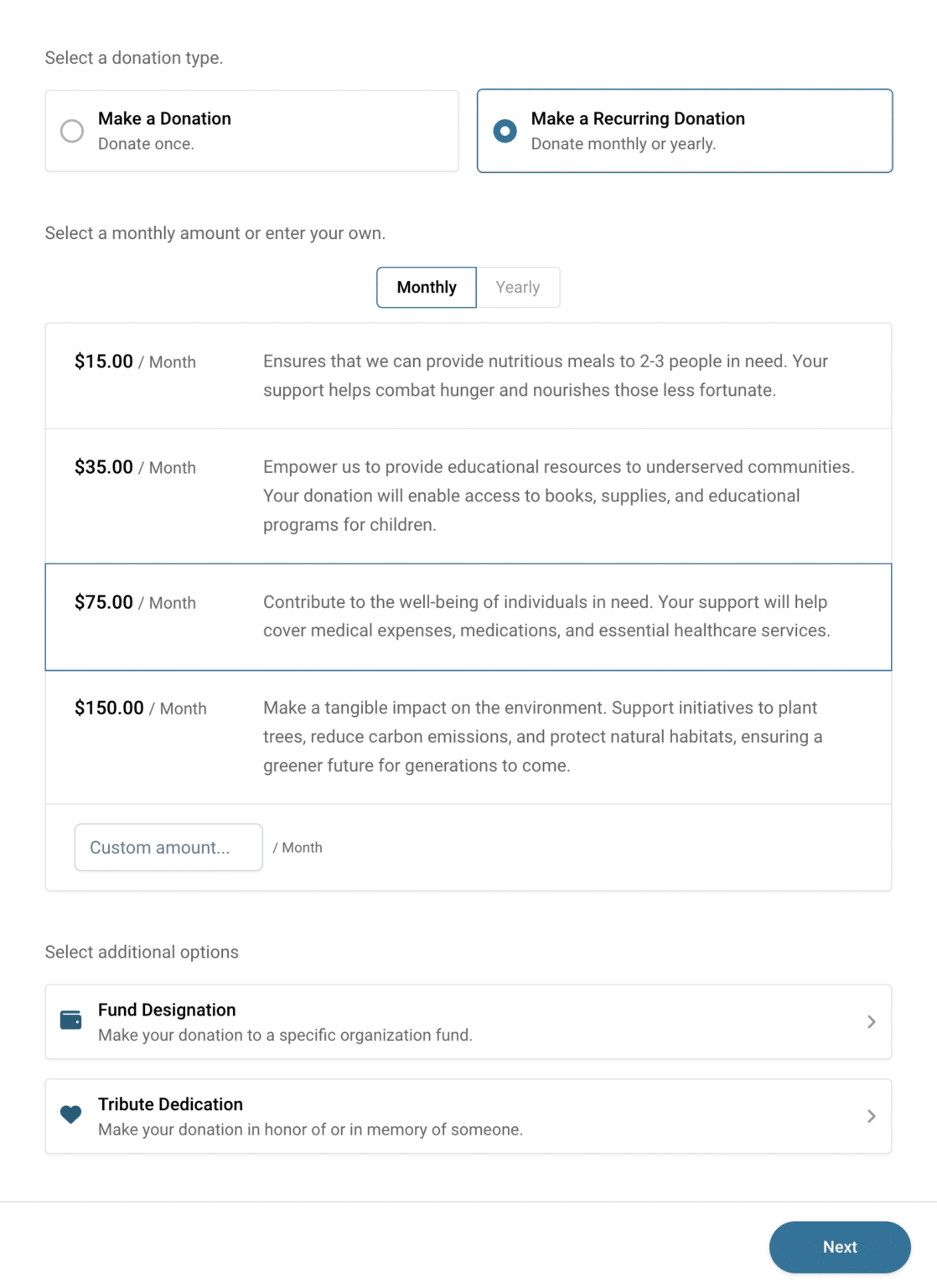
Offer monthly — or annual — giving on every form you run, so a donor can choose it at the moment they’re already giving — then let them manage it themselves while you get support you can plan around.
Free plan available. Paid plans from $600/mo, with a 14-day Pro trial.
How recurring giving works in CauseVox
Offer it wherever you fundraise
Add a monthly option to any donation form or campaign you run.
Turn recurring giving on for your website form, a campaign page, an appeal, or a peer-to-peer campaign. Wherever a donor meets you, giving monthly or annually is one of the choices.
Ask at the moment of the gift
Invite monthly giving while the donor is already deciding to give.
The recurring option sits on the form itself, alongside your suggested amounts — so becoming a monthly supporter is a single choice rather than a separate conversation months later. You can go further and default the form to recurring, so it opens on the ongoing gift rather than the one-off.
Choose how the amounts look
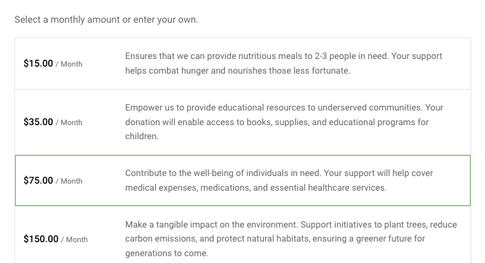
A list of amounts and a list of amounts with their impact spelled out are different asks.
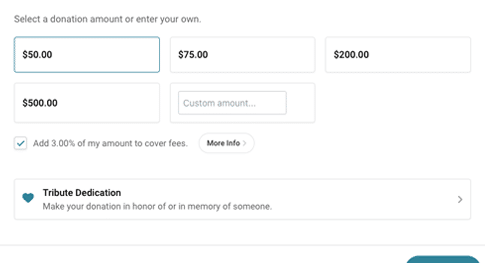
Show your suggested amounts on their own so a donor picks quickly, or give each one a description of what it funds. Compact keeps the decision short; descriptive makes the case for the higher tier. Both take the same custom amount field underneath.
Make it easy to say yes
Give donors a fast checkout and a smaller monthly commitment.
Card, ACH, PayPal, Venmo, Apple Pay, and Google Pay, with the option for donors to cover processing fees so their full gift reaches the work.
Let donors manage it themselves
Donors change their own amount, card, or schedule without emailing you.
Every recurring receipt carries a secure link to the donor’s own portal, where they can change their giving amount, update their payment details, look back over their giving history, or suspend the gift. Your team can also send that link, update details, or pause a profile from the admin.
Stay in touch across the year
Keep monthly donors connected to what their giving does.
Built-in email and automations let you welcome new monthly donors and keep them updated — which matters most for a gift the donor rarely thinks about after setting it up.
See what monthly giving is worth
Know how many monthly donors you have and what they’re giving.
Recurring profiles, full giving history on every donor, and saved reports you can run whenever you need the number.
Recurring giving features
Offering monthly giving
Donor self-service
Managing the program
Ready to build your monthly program?
Common questions
How is a recurring donation different from a pledge?
A recurring donation is ongoing with no end date, usually a modest monthly amount. A pledge is a commitment to a specific total paid across a set schedule, and is typically a much larger gift.
Can donors manage their own monthly gift?
Yes. Every recurring receipt includes a secure link to the donor’s portal, where they can update their payment details or suspend their giving without contacting you.
Can we offer monthly giving on our website form?
Yes — and on campaign pages, appeals, and peer-to-peer campaigns. Anywhere you take gifts, monthly can be one of the options.
Can monthly donors choose a fund?
Yes. Recurring gifts carry fund designations like any other donation.
Can our team update a donor’s payment details for them?
Yes. From the admin you can send the donor a portal link, update their payment details, or suspend their recurring profile.
Do monthly donors get a receipt each time?
Yes. Every payment generates its own receipt automatically.
What does it cost?
There’s a free plan you can start on with no credit card, and paid plans start at $600/mo billed annually ($720 month to month). You can also try Pro free for 14 days; a card is required for the trial. See pricing for the details.
Looking for a committed total paid over a set schedule instead? See pledge fundraising.
Start your monthly giving program
Free to start — no credit card required.
